
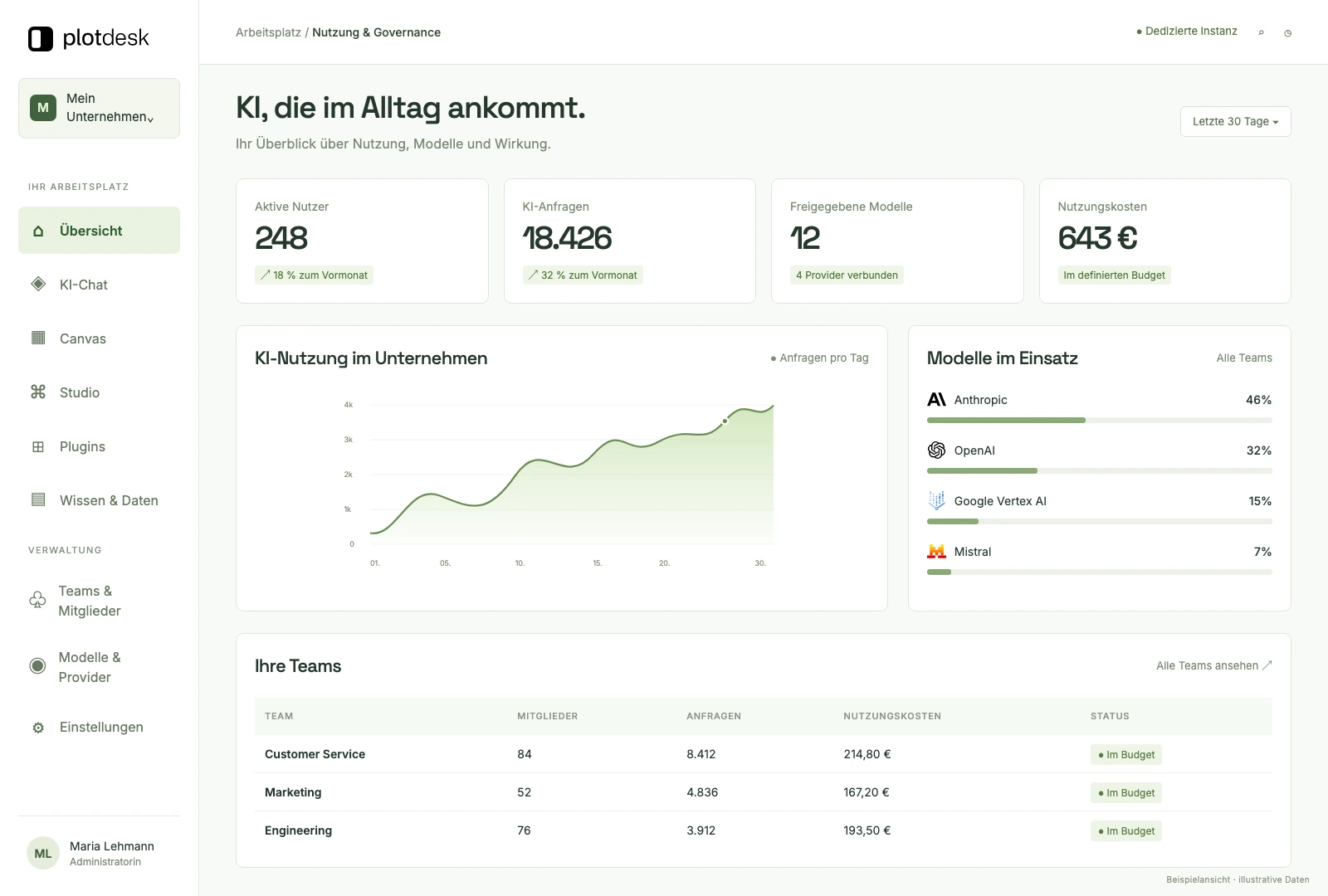
01Platform
Control of models, users, costs and governance.
Chat, knowledge, roles and cost control in a dedicated instance for your company.
The Plotdesk platform
This page shows what the platform brings with it. And what we build on top when your business needs more: integrations up to SAP and into your own data centre, and processes that follow your rules.
01Four building blocks
Every feature on this page belongs to one of the four building blocks. Together they take you from the first chat to the custom solution.
01Platform
Chat, knowledge, roles and cost control in a dedicated instance for your company.
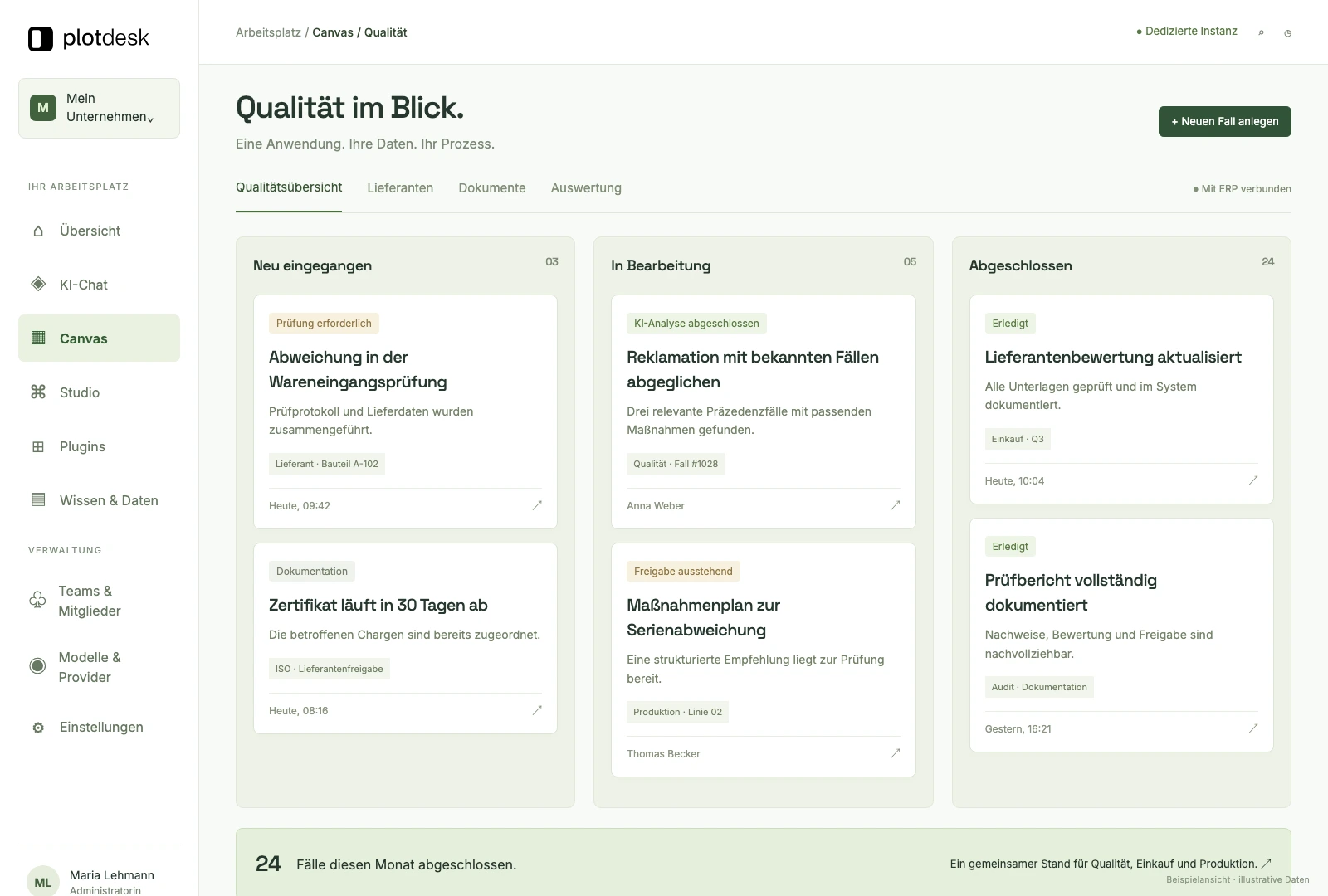
02Canvas
Applications are created in the chat and work directly with your data, for example in quality management.
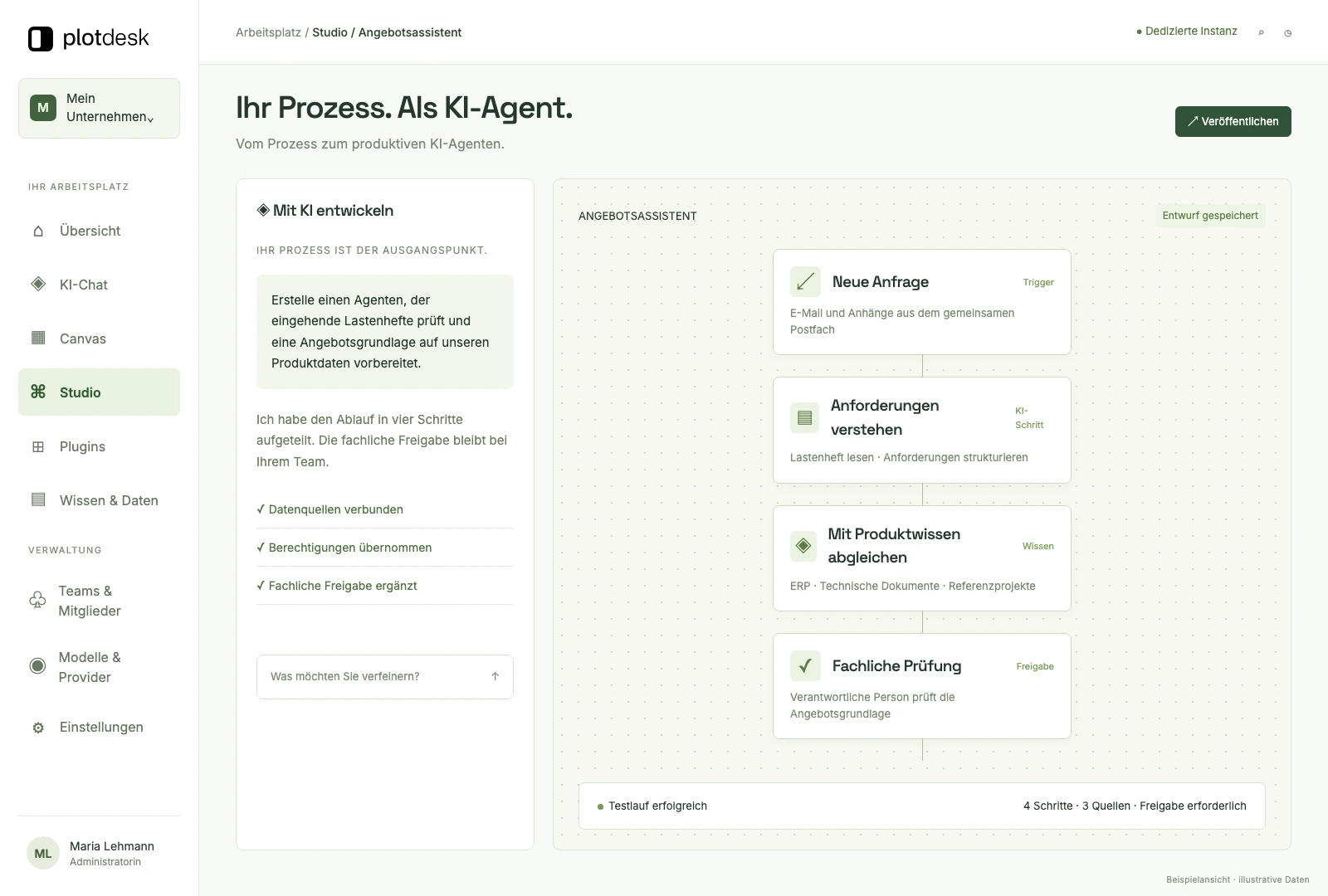
03Studio
Build agents and workflows in the visual editor, test them and put them into operation.
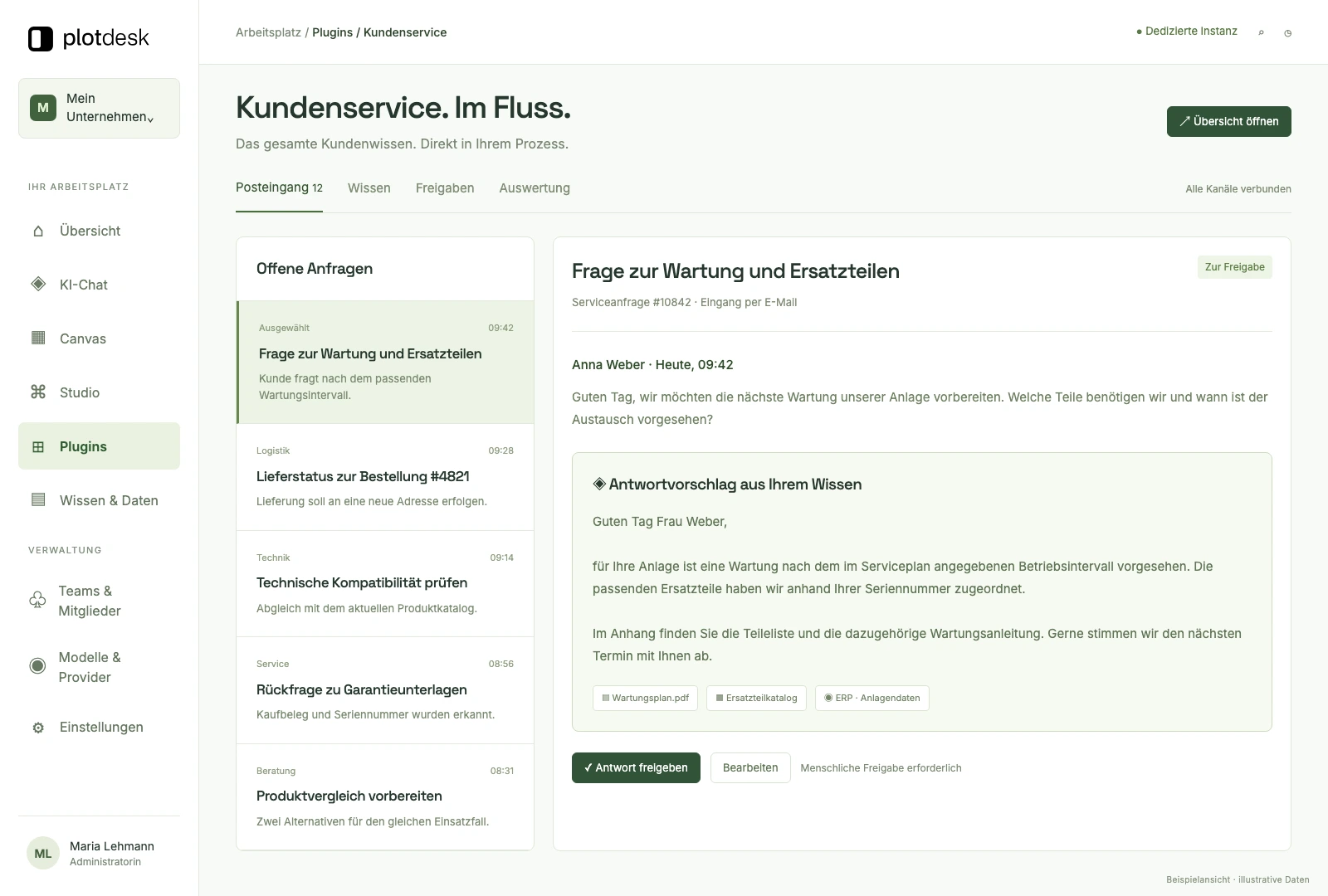
04Custom solutions
Dedicated interfaces, reports and integrations for processes that only happen in your business.
02Custom solutions
Building blocks Studio · Custom solutions
The standard gets you started quickly. The difference is made in your systems, your rules and your processes. That is where our team builds, rather than pointing you to existing features.
Your business systems
Orders, items, prices and bills of materials come from the system in which they are maintained. For SAP and other systems without a ready-made app, the integration is built individually: via Plotdesk Connect, the SQL Connector, HTTP requests or the interface your company already uses.
No move to the cloud
File servers, ticketing systems, legacy databases and even AS/400 stay where they are today. Plotdesk Connect links them up instead of copying content into third-party tools. The AI works with your real transactions, and no system has to move.
Processes on your terms
Checks, approvals, deadlines and escalations become a workflow in Studio that runs the same way every day. Triggered by a schedule, a table, a file or a call from your system.
Only at your company
For a process that exists only in your business, a dedicated interface is built in your instance: your own views, your own roles, your own reports. The customer service example view above shows what this can look like.
Your operations
Every customer gets a dedicated instance: Plotdesk Cloud hosted in the EU, a private cloud or your own tenant, for example in Azure. The same applies to everything built for you.
Built and in operation
Padello
4 → 1
ERP, CRM, construction site planning and online shop replaced by one custom-built solution
Siblik
40,000+
products searchable, rolled out within one week
DisplayMax
83%
faster processes
03Chat and models
Building block Platform
The right model for every task, plus templates and rules your team uses every day.
More than 100 model variants from ten provider types, including OpenAI, Anthropic, Google, Mistral, xAI and DeepSeek as well as open models. You decide which models a team uses.
Manage all models centrally, from Azure AI Foundry, Google Vertex AI and AWS Bedrock to OpenAI and Anthropic.
Templates with variables for recurring tasks such as reports, emails or posts. Text snippets keep inputs consistent.
Rules that flow into every chat automatically: from guidelines for the whole company to the working methods of individual teams.
Start frequent tasks with one click directly in the chat, without typing long prompts.
Organisation, teams and groups in up to three levels. Knowledge and settings are inherited downwards.
04Knowledge and data
Building block Platform
Answers draw on your documents, tables and databases rather than on general model knowledge.
Upload PDFs, Word files and presentations. Text recognition (OCR) makes scanned documents searchable too, and content from SharePoint, OneDrive or Azure Blob Storage stays in sync.
Knowledge stores for individual topics, departments or projects that the chat draws on in a targeted way.
Connect MySQL, PostgreSQL, SQL Server and Snowflake and ask questions in natural language, without writing SQL.
Import tables, enrich data automatically, calculate key figures and export the result again.
Fixed input and output structures for standardised processes, so results always follow the same structure.
Store generated images centrally, categorise them automatically and reuse them.
05Automation
Building block Studio
Workflows, schedules and agents take over recurring tasks, from the daily report to research across many sources.
Visual editor
Build multi-step processes without programming: chain model calls, set conditions and pass results on.
Time and event
Recurring tasks run automatically: daily industry news, weekly reports, monthly analyses.
Several agents work at the same time, for example on 20 websites, a competitor comparison or large volumes of data.
Agents check their result against a defined goal and improve it until the goal is reached. Suited to research and writing.
Word templates with placeholders that the AI fills in, for example for daily reports, minutes or quotations.
ExampleDaily report by voice input → finished Word document
06Everyday work
Building block Platform
Meetings, emails and appointments: the AI summarises, prepares and drafts replies where the work already happens.
Upload audio or video recordings and receive a transcript with speaker identification, action items and a summary. Ask follow-up questions about the meeting directly in the chat.
Connect Outlook and Gmail. The AI drafts replies based on the thread and your company knowledge.
Link your calendar to prepare for meetings or have appointments analysed.
Video tutorials, practical examples and the complete documentation for all users, directly in the platform.
07Apps and integration
Building block Platform
Apps connect Plotdesk with common tools. Whatever the catalogue does not cover, we integrate individually: via the REST API, HTTP requests, the SQL Connector or Plotdesk Connect.
Interface
A complete interface for external integrations: control chats, upload files and use every platform feature. MCP servers add your own tools on top.
For your website
External chatbots with access to your company knowledge, embedded via script, iFrame or a dedicated link.
On-premises systems
Integration of on-premises systems such as ERP, file servers, ticketing systems, legacy databases or AS/400.
08Security and operations
Building block Platform
Plotdesk runs as a dedicated instance for each customer. You control access, models and costs centrally.
GDPR-compliant data processing agreement (DPA) and EU data residency. You decide which models and providers are used.
Sign in with your company identity, for example via Microsoft Entra ID, SAML or OAuth.
Roles and more than 40 permissions, from the organisation down to the individual user. The scope of usage reports can be defined as well.
Plotdesk Cloud hosted in the EU, a private cloud or your own tenant, for example Azure. With your own subdomain such as ai.your-company.com.
Analyse usage and costs by team and category, and calculate the benefit from time saved and hourly rates.
Tickets for support, bug reports and new use cases, with chats linked directly. Plus documentation, a changelog and regular updates by newsletter.
In a first conversation we work out what the standard covers, which integrations and processes we build for you, and the fastest route to a result.
Let’s talk Start demo Find a partner in your region